

How to cancel admob account, google admob developer account cancellation process
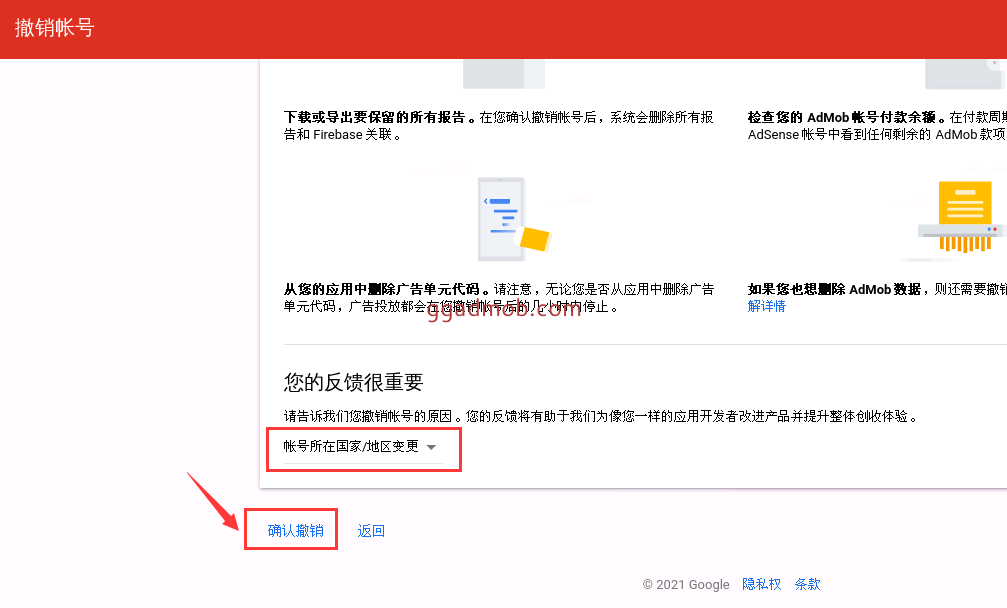
Today we will tell you, how to log out the google admob developer account? First, we enter the admob account, the left menu bar - [Settings] - [Account Information] - [Cancel account in the lower right corner] After clicking cancel the account in the lower right corner, a confirmation box will pop up, are you sure you want to cancel? Click Yes to continue. We choose the reason for canceling the account, you can choose any one. You can choose...

After canceling the admob account and re-opening it, it prompts that you cannot use admob at present
In the last article, we talked about how to revoke and close the admob account , https://ggadmob.com/admob/admob92.html In the process of canceling the admob account, we will encounter a pit, that is, after the successful cancellation, we cannot continue to use this account to re-open admob. At present, we cannot know whether this is a bug of google admob or an official policy set by google, so in general, it is not recommended that you log out of your admob...